Agrinovo cloud API: read your sensor data from your own code
Readings logged by an Agrinovo controller are stored in the Agrinovo cloud and can be read over HTTPS with a personal API token. This page covers the token, the endpoints a data pipeline needs, and a Python script that writes readings to a CSV file.
Create an API token
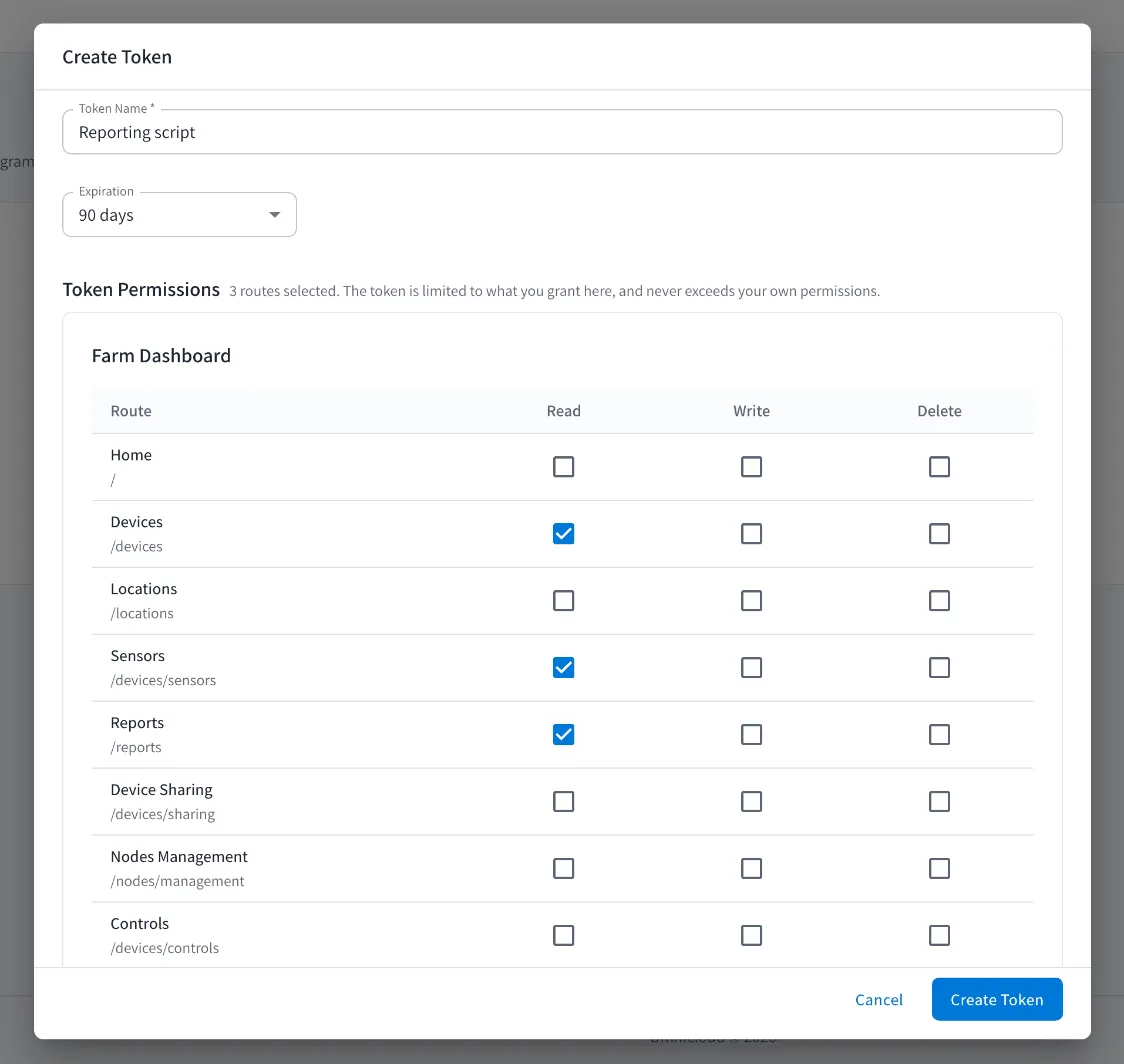
- In the web app, open API Tokens.
- Click Create Token and give it a name that says where it will be used.
- Choose an expiration: 7 days, 30 days, 90 days, 1 year, a custom date, or never.
- Choose the token permissions. A token can be given any part of what your own user may do, and no more.
- Copy the token and store it. It starts with
omni_live_and is shown once.
Creating tokens needs the administrator role. Each user can hold up to 20 active tokens. A token can be revoked at any time, and its activity log shows every request made with it.
Making a request
The base address is https://api.agrinovo.io/api/v2/. Send the token in the Authorization header as a bearer token. Responses are JSON.
curl -H "Authorization: Bearer omni_live_YOUR_TOKEN" \
"https://api.agrinovo.io/api/v2/nodes"- Timestamps are numbers: milliseconds since 1970-01-01 UTC. Time range parameters use the same unit.
- The limit is 200 requests per minute per IP address. Past it the API answers 429 with a
Retry-Afterheader. - A token sees the same accounts and devices as the user who created it.
Endpoints for sensor data
| Request | Returns | Parameters |
|---|---|---|
GET /nodes | Your controllers, each with its ports and the sensors on them | query, page, limit (up to 500) |
GET /nodes/{nodeId}/sensors | The sensors of one controller | |
GET /data/readings | Individual readings in a time range, with paging | from, to (required), nodeId, sensorId, sensorTypeId, locationId, page, limit (up to 100), sortBy, sortOrder |
GET /data/{nodeId}/fetch | One controller in a time range, averaged into about 500 points per sensor for charting; the reply states the bucket size | from, to |
GET /data/readings/export | An Excel file of the readings in a time range, raw or averaged | The /data/readings filters, plus interval in minutes (0 for raw, up to 1440) and tzOffsetMinutes |
GET /manual-readings | Readings entered by hand or taken with a handheld meter | startDate, endDate, page, limit (up to 500) |
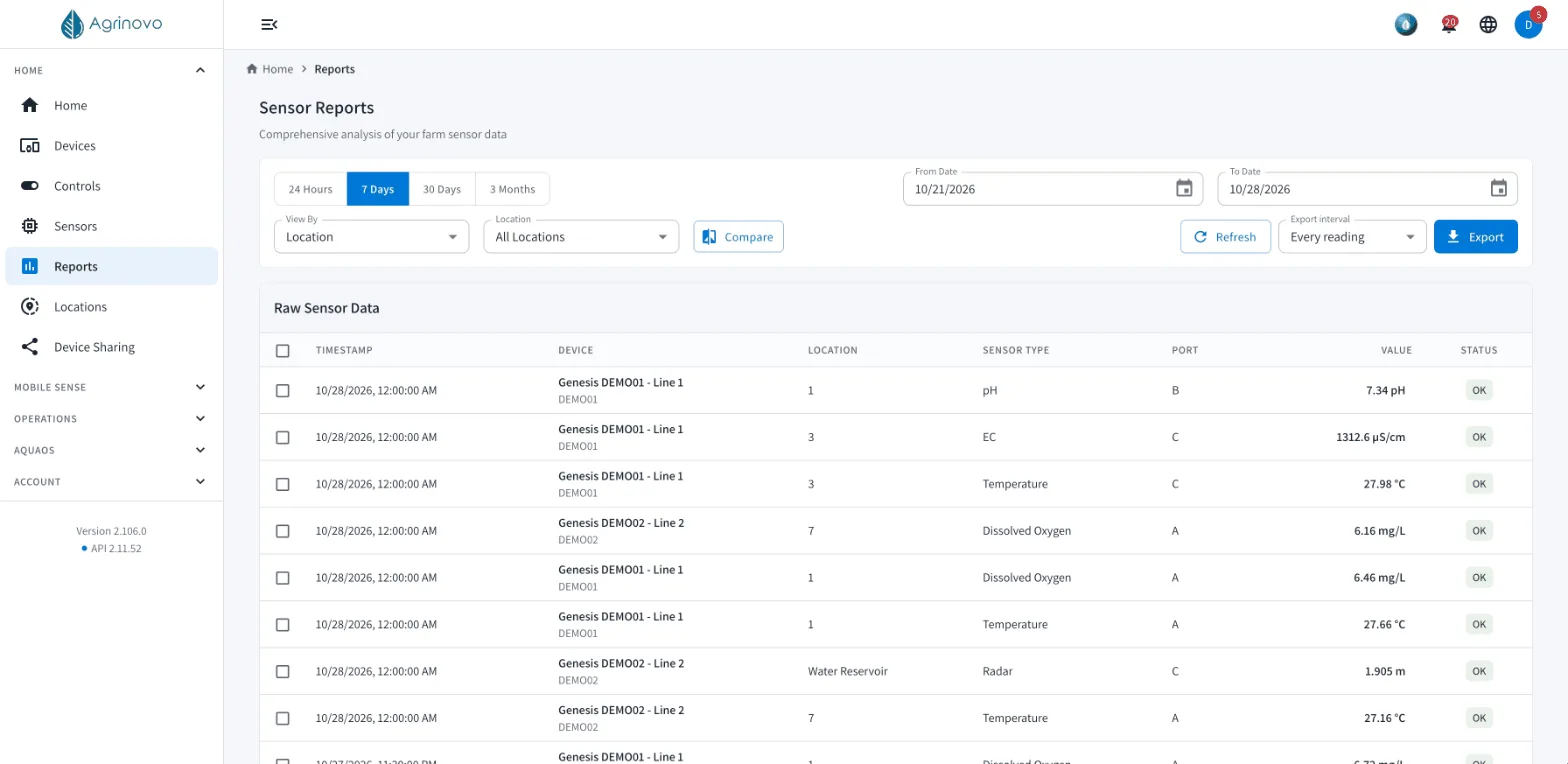
Each item returned by /data/readings carries timestamp, value, unit, valueType, sensorType, sensorId, port, nodeId, nodeName, locationId, locationName and status. The reply also gives total, page and limit.
An export holds up to 200,000 rows. A longer range returns the newest 200,000 and sets the X-Export-Truncated header, so split long periods into several requests. Without tzOffsetMinutes the export timestamps are UTC.
Python example: readings to CSV
The script pages through one week of readings and writes them to a CSV file with a UTC time column, ready for pandas, R or a spreadsheet.
"""Download readings from the Agrinovo cloud API into a CSV file with UTC timestamps.

pip install requests pandas
"""
from datetime import datetime, timedelta, timezone

import pandas as pd
import requests

BASE = "https://api.agrinovo.io/api/v2"
TOKEN = "omni_live_YOUR_TOKEN"

session = requests.Session()
session.headers["Authorization"] = f"Bearer {TOKEN}"

end = datetime.now(timezone.utc)
start = end - timedelta(days=7)
params = {
    "from": int(start.timestamp() * 1000),  # epoch milliseconds, UTC
    "to": int(end.timestamp() * 1000),
    "limit": 100,
    "sortBy": "timestamp",
    "sortOrder": "asc",
}

rows, page = [], 1
while True:
    reply = session.get(f"{BASE}/data/readings", params={**params, "page": page}, timeout=30)
    reply.raise_for_status()
    body = reply.json()
    rows.extend(body["data"])
    if len(rows) >= body["total"] or not body["data"]:
        break
    page += 1

frame = pd.DataFrame(rows)
frame["time_utc"] = pd.to_datetime(frame["timestamp"], unit="ms", utc=True)
frame[["time_utc", "nodeName", "sensorType", "valueType", "value", "unit"]].to_csv("readings.csv", index=False)
print(f"{len(frame)} readings written to readings.csv")
Other ways to get the data
- AI assistant access (MCP)
Ask Claude, ChatGPT or Gemini questions about your readings.
- Read a probe directly
Wire a probe to your own board or logger and skip the cloud.


Need an endpoint that is not listed here?
Tell us what your pipeline needs to read and how often.