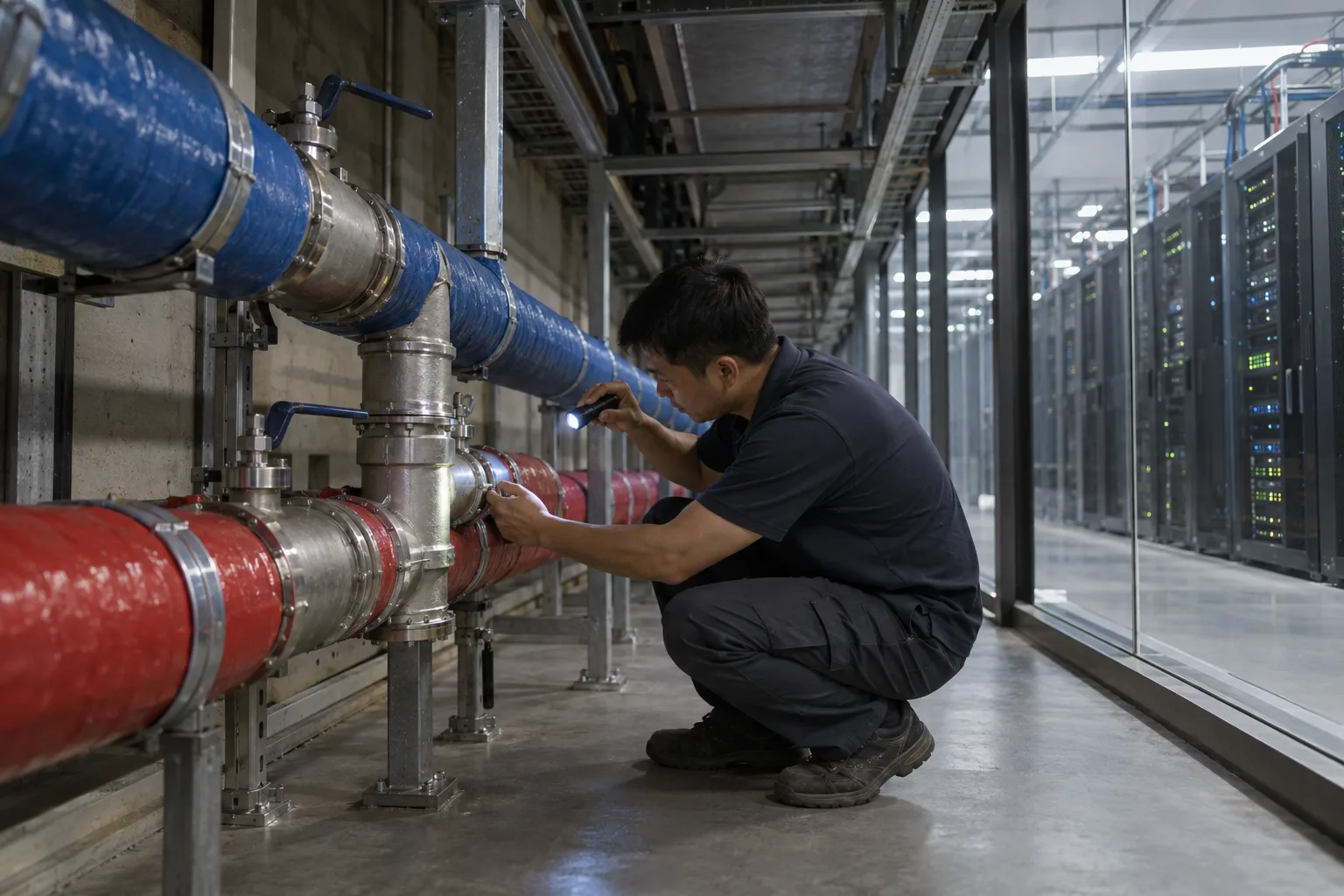
A liquid-cooled rack is only as healthy as the coolant running through its cold plates, and pH is the first number that moves when that coolant starts to go wrong. Inhibitors deplete, glycol degrades, flush water gets left behind, the wrong top-up fluid goes in. Each of these shifts pH before it shows up as a blocked microchannel or a corroded fitting. This guide covers the pH range a PG25 loop should hold, why it drifts, where an inline sensor belongs in a coolant distribution unit (CDU) loop, and how much the reading shifts when the loop runs warmer than the calibration bench.
The reference throughout is the Open Compute Project’s Guidelines for Using Propylene Glycol-Based Heat Transfer Fluids in Liquid Cooled Racks (version 1.0.0, September 2026), written by fluid suppliers, cooling equipment makers and operators. It is the most detailed public document on running PG25 in a technology cooling system (TCS), and it has a full section on inline sensors.
What pH should data center liquid cooling coolant be?
There is no single number, because pH is set by the corrosion inhibitor package. The OCP guidelines list the typical pH of fresh fluid as:
| Coolant type | Typical pH of new fluid |
|---|---|
| PG25 with conventional (non-OAT) inhibitors | 8.0 to 10.5 |
| PG25 with OAT-based inhibitors | 7.0 to 10.5 |
For operating limits the same document gives 8.0 to 10.5 for conventional technologies and 6.5 to 9.5 for OAT-based and hybrid fluids, as examples only. The working limits for a given loop come from the fluid supplier.
What matters more than the absolute value is the baseline. The guidelines recommend recording sensor readings when the system is first filled with fresh, properly mixed fluid and using them as the reference for every later comparison. A loop that commissioned at pH 9.2 and now reads 8.6 has changed, even though 8.6 sits inside the typical band. The rate of change over time is the signal.
Why coolant pH drifts in a PG25 loop
The inhibitors in a heat transfer fluid protect metal by forming a film on it, and the OCP guidelines note that this film consumes the inhibitor gradually. As the package depletes, the fluid’s buffering capacity (its reserve alkalinity) falls, and pH follows. Other causes the document traces through the commissioning and maintenance sections:
- Over-dilution. Flush water left in the loop, or a top-up with plain water, dilutes both glycol and inhibitors. Below roughly 25% glycol the guidelines warn that bio-growth becomes possible.
- Contamination. Cleaning chemicals that were not fully removed, an incompatible elastomer leaching into the fluid, or a top-up with an unapproved product.
- Fluid degradation. Annual lab analysis is meant to include degradation acids for this reason.
A pH sensor does not tell you which of these happened. It tells you that something did, early enough to pull a sample and find out.
Spot checks or an inline pH sensor?
Without inline monitoring, and with a team new to the fluid, the OCP sampling guidance treats a loop as medium risk and suggests lab analysis every six months for the first year and a half, plus on-site testing on the same cycle. With inline monitoring in place (pH and refractive index at a minimum), compatible wetted materials and a team familiar with the fluid, lab testing can drop to commissioning plus once a year, with extra samples only when an inline reading raises a question that on-site testing cannot settle.
That is the practical case for an inline probe: fewer routine samples, and a continuous trend that shows when a change started. A handheld meter or test strip still has a job. When an inline reading crosses a limit, the guidelines’ first step is to confirm it with a calibrated handheld meter or strips before sending a sample to a lab.
Where to install a pH sensor in a CDU loop
The guidelines are specific: sensors go in the flow of coolant after filtration, where the fluid is well mixed. A probe in a dead leg or in the corner of a reservoir reads its own local chemistry, not what reaches the cold plates.
For the PH-110 industrial pH probe that means a pipe tee on the supply or return line downstream of the filter:
- Thread. 3/4 inch NPT at both the probe end and the cable end, so it threads into a standard tee or an inline fitting.
- Pressure. Rated to 1.0 MPa working pressure.
- Temperature. 0 to 70°C, which covers the 17 to 66°C range the OCP guidelines give as typical for closed loop cooling systems.
- Wetted body. PTFE, which appears in the guidelines’ table of plastics commonly used in contact with these fluids. The sensing element is a glass membrane.
- Size. 175 mm long and 28 mm in diameter, with a direct cable, 5 m as standard and other lengths made to order.
Put isolation valves on both sides of the tee, or mount the probe in a small bypass with its own valves. The probe has to come out for calibration and cleaning, and a sensor that needs the loop drained to service it will not get serviced. Mount it where air cannot collect around the membrane, since a bubble on the glass reads as noise.
Does temperature affect pH readings in glycol coolant?
It does, through two separate effects, and only one of them can be corrected.
The electrode’s own sensitivity changes. A glass pH electrode follows the Nernst equation: its output per pH unit is proportional to absolute temperature. Thermo Fisher’s pH measurement handbook gives the theoretical slope as 59.16 mV per pH unit at 25°C, about 54 mV at 0°C and about 64 mV at 50°C. The curves cross at the isopotential point near pH 7, so the error is zero at pH 7 and grows with distance from it.
Working from those figures, this is the reading error of an electrode calibrated at 25°C and read in coolant at a higher temperature, with no compensation applied:
| True coolant pH | Loop at 35°C | Loop at 45°C | Loop at 55°C |
|---|---|---|---|
| 8.5 | +0.05 pH | +0.10 pH | +0.15 pH |
| 9.5 | +0.08 pH | +0.17 pH | +0.25 pH |
| 10.5 | +0.12 pH | +0.23 pH | +0.35 pH |
The arithmetic: the slope scales by (T + 273.15) / 298.15, so at 45°C it is 6.7% steeper, and a reading 2.5 pH units above 7 is overstated by 2.5 x 0.067, or about 0.17 pH.
The coolant’s own pH changes. A buffered fluid has its own pH-temperature relationship, and the handbook is clear that no meter can correct a sample’s pH to a reference temperature, because every sample behaves differently. Its advice: calibrate near the sample temperature and record the temperature with every reading.
For a technology cooling loop this leads to three practical rules:
- Calibrate close to operating temperature. Bring the buffers to roughly the loop temperature, or trim the offset in place against a lab or handheld reading taken at loop temperature. The PH-110 stores an offset in its own register (0x0009, value divided by 100), so a field correction is one Modbus write.
- Apply the slope correction in the controller if the loop temperature moves. The CDU already measures supply and return temperature. For a probe calibrated at 25°C, the corrected value is approximately pH = 7 + (reading - 7) x 298.15 / (T + 273.15), with T in °C. This removes the electrode effect from the table above. It does not remove the coolant’s own temperature behavior, and it assumes the isopotential point sits at pH 7.
- Trend at comparable temperatures. A reading taken during a low-load night and one taken at full load are not directly comparable. Store the temperature with every pH value and compare like with like.
Connecting an inline pH sensor to a CDU controller or BMS
The OCP guidelines recommend integrating sensor readings with the building management system for automated alerts. The PH-110 is ordered with one of two interfaces, one output per probe:
RS485 Modbus RTU. 9600 baud, 8 data bits, no parity, 1 stop bit, default address 1. The pH value sits in holding register 0x0000, read with function 0x03, as an integer divided by 100. A read request and reply look like this:
Request:  01 03 00 00 00 01 84 0A
Response: 01 03 02 02 AE 38 98
The two data bytes in the reply, 0x02AE, are 686 in decimal, so the probe is reading 6.86 pH.
The address is changed at register 0x0050, so several probes can share one bus. Wiring is red for V+, black for ground, green for RS485-A and yellow for RS485-B, on a 12 to 24 V DC supply. The RS485 version also runs from 7 V DC. After power-up the reading reaches 95% of its final value within 10 seconds and settles fully within 15 seconds, then updates every 0.5 seconds.
Analog. 4-20 mA, with pH = (mA - 4) x 0.875, or a 0-2 V, 0-5 V or 0-10 V voltage output. This suits a CDU controller or PLC with a spare analog input card and no Modbus master.
If your CDU controller polls other devices over Modbus already, the RS485 version is the simpler route: no scaling card, and calibration commands travel over the same two wires. Our RS485 pH sensor selection guide covers the digital versus analog decision in more depth, and the sensor protocols guide explains the protocols themselves.
Where there is no controller to connect to, for example a pilot loop or a temporary monitoring point during commissioning, the Omni Genesis controller reads RS485 sensors on its four modular ports and reports to a cloud dashboard on its own.
Calibration and maintenance in a closed loop
The OCP guidelines list the weak points of pH probes plainly: in continuous inline use they drift, glycol and additives can coat the membrane, and probe life is shorter in glycol than in clean water. That is a property of glass electrodes in this fluid, and it shapes the maintenance plan more than any datasheet figure.
- Calibrate before commissioning. The PH-110 uses three-point calibration at pH 4.00, 6.86 and 9.18. Each point is stored with a single Modbus write: 0x000A to register 0x005A for 9.18, 0x000B to 0x005B for 6.86 and 0x000C to 0x005C for 4.00, with the probe in the matching buffer.
- Set the interval from observed drift. Check against a buffer or a handheld meter on a fixed schedule, record the difference, and shorten or lengthen the interval based on what you see.
- Recalibrate after events. A fluid change, a top-up, a flush or a cleaning cycle all justify a check.
- Compare with the lab. The guidelines suggest comparing inline values with lab reports at a fixed interval, for example once or twice a year, and keeping a sensor logbook of calibrations, cleaning and replacements.
- Replace on evidence. A probe that responds slowly or will not hold calibration after cleaning has reached the end of its life.
Selection checklist for an inline coolant pH sensor
- Get the expected pH band for your fluid from its supplier, and confirm the probe range covers it with margin.
- Confirm the probe’s temperature rating covers the hottest point it will see.
- Match the process connection and pressure rating to the line it goes into.
- Check the wetted materials against your fluid supplier’s compatibility list.
- Choose the output before ordering: RS485 Modbus into a controller that polls, or 4-20 mA into an analog input.
- Plan the installation point for flow, mixing and removal without draining the loop.
- Decide how temperature will be handled: calibration at loop temperature, a controller-side correction, or both.
pH is one parameter of several. Glycol concentration, conductivity and corrosion rate complete the picture, and our guides to PG25 coolant monitoring sensors and corrosion monitoring in liquid cooling loops cover each in turn. If you are specifying pH monitoring for a CDU or a TCS loop, send us the fluid, the loop temperature range and the controller you are connecting to, and we will confirm the probe configuration with you.