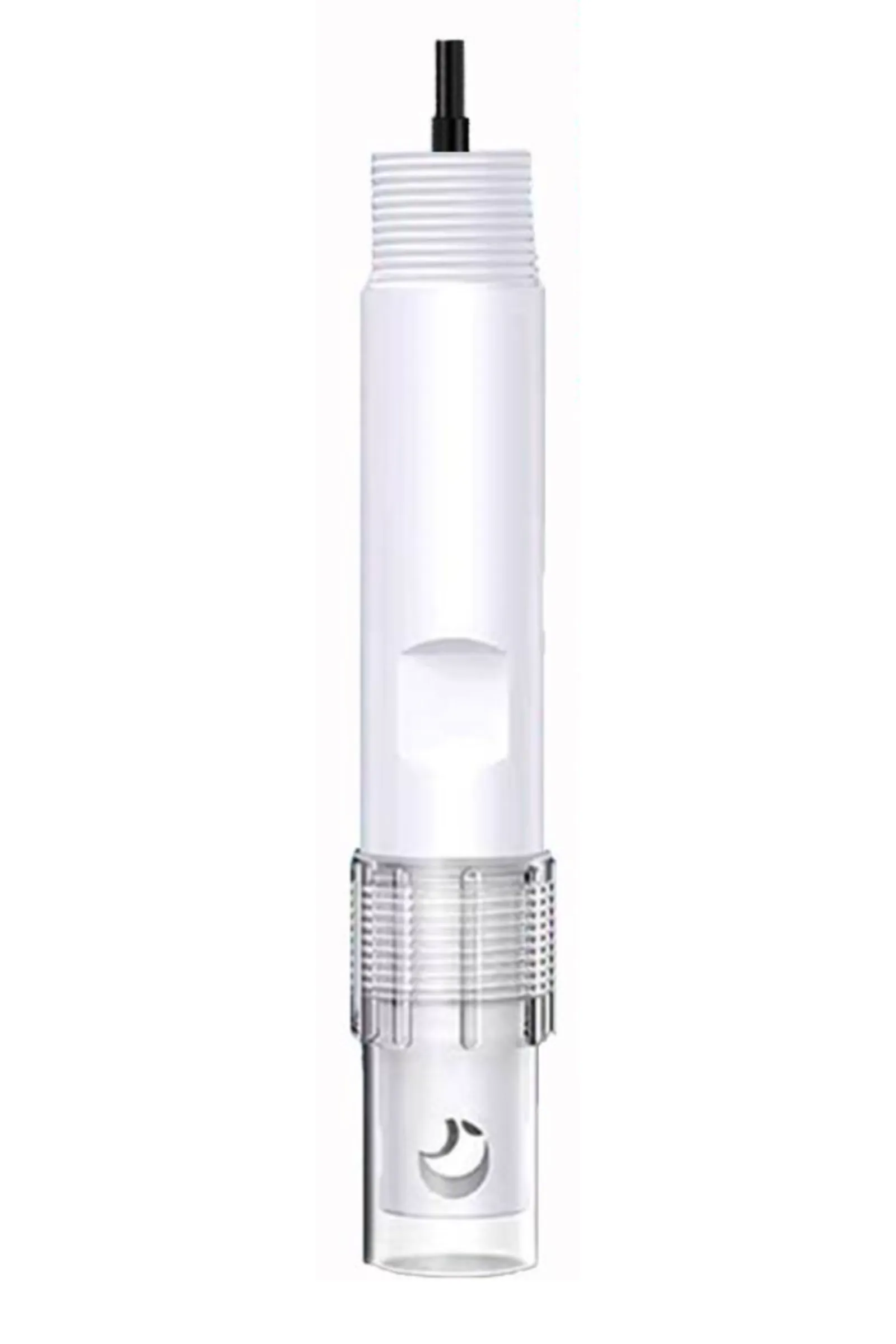
Conexión de PH-110
La sonda es un dispositivo RS485, por lo que necesita un transceptor entre ella y su placa. En una computadora o una Raspberry Pi es un adaptador USB a RS485. En un microcontrolador es un módulo tipo MAX485 en un puerto serial por hardware. Alimente la sonda con una fuente dentro del rango de tensión de la tabla y conecte su tierra a la tierra del transceptor.
RS485 Interface
| Wire Color |
Function |
Description |
| Red |
V+ |
Power (12-24V DC) |
| Black |
GND |
Power Ground |
| Green |
RS485-A |
Data+ |
| Yellow |
RS485-B |
Data- |
Analog Interface
| Wire Color |
Function |
| Red |
Power + |
| Black |
Power - |
| Green |
Signal + |
| Yellow |
Signal - |
Ejemplo en Python (Raspberry Pi, Linux, macOS, Windows)
El script solo necesita pyserial. Arma la solicitud Modbus por sí mismo, verifica el CRC de la respuesta e imprime una lectura cada cinco segundos. En Windows, pase el puerto COM como argumento.
#!/usr/bin/env python3
"""Read the Agrinovo PH-110 over RS485 Modbus RTU.

Works on a Raspberry Pi or any computer with a USB to RS485 adapter.
Install the serial library once:  pip install pyserial
Run:  python3 ph_110.py /dev/ttyUSB0
"""
import struct
import sys
import time

import serial

PORT = sys.argv[1] if len(sys.argv) > 1 else "/dev/ttyUSB0"
ADDRESS = 0x01  # the sensor's Modbus address


def crc16(frame: bytes) -> bytes:
    crc = 0xFFFF
    for byte in frame:
        crc ^= byte
        for _ in range(8):
            crc = (crc >> 1) ^ 0xA001 if crc & 1 else crc >> 1
    return struct.pack("<H", crc)


def read_registers(port, address, function, start, count):
    request = struct.pack(">BBHH", address, function, start, count)
    port.reset_input_buffer()
    port.write(request + crc16(request))
    reply = port.read(5 + 2 * count)
    if len(reply) >= 5 and reply[1] == function | 0x80:
        raise IOError(f"sensor returned Modbus error {reply[2]}")
    if len(reply) != 5 + 2 * count or crc16(reply[:-2]) != reply[-2:]:
        raise IOError("no valid reply from the sensor")
    return reply[3:-2]


def read_probe(port):
    data = read_registers(port, ADDRESS, 0x03, 0x0000, 1)
    return {
        "ph": struct.unpack(">H", data[0:2])[0] * 0.01,  # pH
    }


if __name__ == "__main__":
    with serial.Serial(PORT, 9600, bytesize=8, parity="N", stopbits=1, timeout=1) as port:
        while True:
            print(read_probe(port))
            time.sleep(5)
Ejemplo para Arduino (Uno, Mega, ESP32, ESP8266, MKR, Pico)
El sketch usa la biblioteca Agrinovo: en el Arduino IDE abra Sketch > Include Library > Manage Libraries e instale "Agrinovo". La biblioteca elige el puerto serial según la placa, y los pines están al inicio de AgrinovoDefaultPort.h. DE y RE del transceptor van a un mismo pin de salida.
// Agrinovo PH-110 industrial pH sensor
// Prints pH every 5 seconds.
//
// Sensor cable
//   Red     supply +, 12-24 V DC
//   Black   supply ground, joined to the board's ground
//   Green   RS485 A
//   Yellow  RS485 B
//
// The board talks to the sensor through an RS485 transceiver (MAX485 or
// similar). AgrinovoDefaultPort.h lists the serial pins used on each board.
//
// https://agrinovo.io/products/sensors/aqua/ph/ph-110-probe/

#include <Agrinovo.h>
#include <AgrinovoDefaultPort.h>

const int DE_PIN = 4;  // transceiver DE and RE, tied together

AgrinovoBus bus(AGRINOVO_PORT, DE_PIN);
AgrinovoPH110 sensor(bus);  // Modbus address 1

void setup() {
  Serial.begin(115200);
  agrinovoPortBegin(9600);
  bus.begin();
}

void loop() {
  if (sensor.read()) {
    Serial.print("pH: ");
    Serial.print(sensor.ph(), 2);
    Serial.println(" pH");
  } else {
    Serial.println(sensor.errorText());
  }
  delay(5000);
}
Qué leen los ejemplos
Ambos ejemplos envían una sola solicitud, función 0x03, 1 registros desde 0x0000, y decodifican estos valores:
| Valor | Unidad | Registro | Codificación |
| pH | pH | 0x0000 | Entero de 16 bits sin signo, con factor de escala |
Otras herramientas Modbus
La misma solicitud funciona desde cualquier maestro Modbus RTU: pymodbus, minimalmodbus, Node-RED, LabVIEW, un PLC o un registrador de datos de terceros con puerto Modbus. Use la configuración serial, el código de función y las direcciones de registro indicados arriba.
Registro de datos sin escribir código
El controlador Omni Genesis lee PH-110 y envía las lecturas a la nube de Agrinovo por la red celular, donde se pueden exportar o leer mediante la API de la nube.
Referencia de la ficha técnica
Specifications
| Parameter |
Specification |
| Measurement Range |
0 to 14.00 pH |
| Resolution |
0.01 pH |
| Accuracy |
±0.02 pH |
| Stability |
≤0.02 pH / 24 hours |
| Power Consumption |
≤0.5W |
| Protection Rating |
IP68 |
| Operating Temp |
0 to 70°C |
| Operating Humidity |
≤85% RH |
| Working Pressure |
1.0 MPa |
| Housing Material |
PTFE |
| Start-up Time |
95% of reading within 10 s, 100% within 15 s |
| Update Rate |
New reading every 0.5 s |
Physical Dimensions
| Parameter |
Dimension |
| Total Length |
175 mm |
| Probe Diameter |
28 mm |
| Mounting Thread |
3/4” NPT, top and bottom |
| Cable |
Direct cable, 5 m standard, custom length to order |
| Probe Head |
65 mm |
| Body |
90 mm |
| Tail |
20 mm |
Electrical Characteristics
Each probe is built with one output type, selected when it is ordered.
| Output Type |
Supply Voltage |
| 0 to 2V DC |
12-24 VDC |
| 0 to 5V / 0 to 10V DC |
12-24 VDC |
| 4 to 20mA |
12-24 VDC |
| RS485 |
12-24 VDC |
Communication Settings (RS485)
| Parameter |
Value |
| Protocol |
Modbus-RTU |
| Baud Rate |
9600 bps |
| Data Bits |
8 |
| Parity |
None |
| Stop Bits |
1 |
| Default Address |
0x01 |
Register Map
Measurement Registers (Function 0x03)
| Address |
Description |
Scaling |
| 0x0000 |
pH Value |
Value ÷ 100 |
Configuration Registers (Function 0x06)
| Address |
Description |
Notes |
| 0x0009 |
Intercept/Offset |
Value ÷ 100 |
| 0x0050 |
Slave Address |
0x01 to 0xFE |
| 0x005A |
9.18 pH Cal |
Write 0x000A |
| 0x005B |
6.86 pH Cal |
Write 0x000B |
| 0x005C |
4.00 pH Cal |
Write 0x000C |
Reading pH Value
Request:  01 03 00 00 00 01 84 0A
Response: 01 03 02 02 AE 38 98
Decoding: 0x02AE = 686 → 686 ÷ 100 = 6.86 pH
Three-Point Calibration
| Solution |
Register |
Command |
| 9.18 pH |
0x005A |
01 06 00 5A 00 0A 29 DE |
| 6.86 pH |
0x005B |
01 06 00 5B 00 0B B9 DE |
| 4.00 pH |
0x005C |
01 06 00 5C 00 0C 49 DD |
Analog Output Conversion
Voltage to pH
| Output |
Formula |
| 0 to 2V DC |
pH = V × 7 |
| 0 to 5V DC |
pH = V × 2.8 |
| 0 to 10V DC |
pH = V × 1.4 |
Current to pH
| Output |
Formula |
| 4 to 20mA |
pH = (A - 4) × 0.875 |
Revision History
| Rev |
Date |
Changes |
| 1.0 |
June 2026 |
Initial release |
| 1.1 |
August 2026 |
Layout revision |
| 1.2 |
October 2026 |
New layout; output options, pressure, housing material, cable and start-up time added |
Contact
Agrinovo, https://agrinovo.io/products, [email protected], +972 54 688 8148 (direct / WhatsApp).
Specifications subject to change without notice.