O3-100 עם Arduino, ESP32, Raspberry Pi ו-Python
איך מחברים את O3-100 חיישן אוזון למיקרו-בקר או למחשב שלכם וקוראים ממנו ב-RS485 Modbus RTU. הטבלאות הן אלה שבדף הנתונים, ושתי דוגמאות הקוד מורצות מול מסגרת הדוגמה שבדף הנתונים לפני שהעמוד מתפרסם.
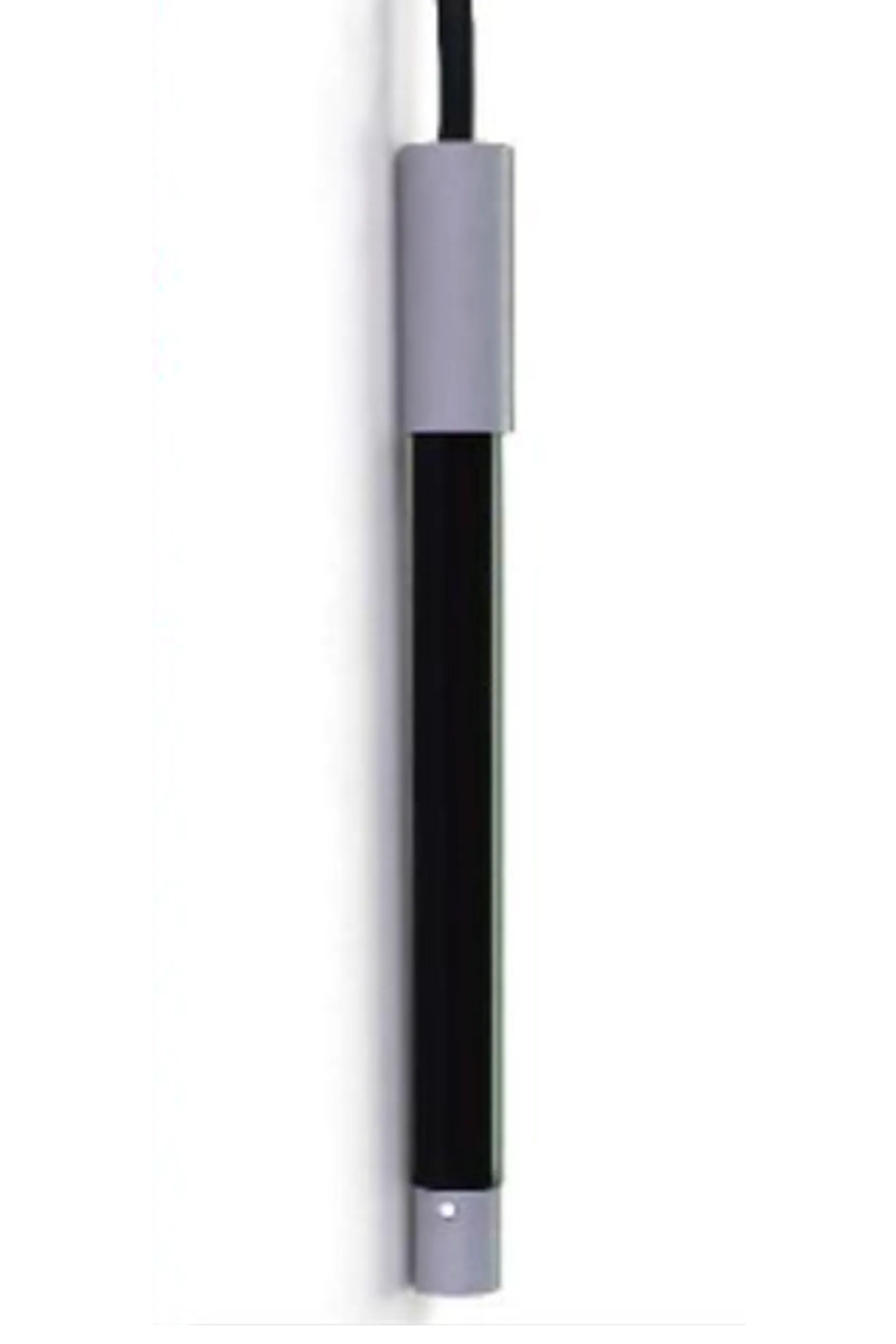
חיבור ה-O3-100
החיישן הוא התקן RS485, ולכן צריך משדר-מקלט בינו לבין הלוח שלכם. במחשב או ב-Raspberry Pi זה מתאם USB ל-RS485. במיקרו-בקר זה מודול מסוג MAX485 על יציאה טורית חומרתית. הזינו את החיישן מספק שנמצא בטווח המתח שבטבלה, וחברו את האדמה שלו לאדמה של המשדר-מקלט.
| Wire Color | Function | Description |
|---|---|---|
| Red | V+ | DC Power Supply (12-24V DC) |
| Black | GND | DC Power Ground |
| Green | RS485-A | Data T/R+ |
| White | RS485-B | Data T/R− |
דוגמת Python (Raspberry Pi, Linux, macOS, Windows)
הסקריפט צריך רק את pyserial. הוא בונה בעצמו את בקשת ה-Modbus, בודק את ה-CRC של התשובה ומדפיס קריאה אחת כל חמש שניות. ב-Windows העבירו את יציאת ה-COM כארגומנט.
#!/usr/bin/env python3
"""Read the Agrinovo O3-100 over RS485 Modbus RTU.

Works on a Raspberry Pi or any computer with a USB to RS485 adapter.
Install the serial library once:  pip install pyserial
Run:  python3 o3_100.py /dev/ttyUSB0
"""
import struct
import sys
import time

import serial

PORT = sys.argv[1] if len(sys.argv) > 1 else "/dev/ttyUSB0"
ADDRESS = 0x01  # the probe's Modbus address


def crc16(frame: bytes) -> bytes:
    crc = 0xFFFF
    for byte in frame:
        crc ^= byte
        for _ in range(8):
            crc = (crc >> 1) ^ 0xA001 if crc & 1 else crc >> 1
    return struct.pack("<H", crc)


def read_registers(port, address, function, start, count):
    request = struct.pack(">BBHH", address, function, start, count)
    port.reset_input_buffer()
    port.write(request + crc16(request))
    reply = port.read(5 + 2 * count)
    if len(reply) >= 5 and reply[1] == function | 0x80:
        raise IOError(f"probe returned Modbus error {reply[2]}")
    if len(reply) != 5 + 2 * count or crc16(reply[:-2]) != reply[-2:]:
        raise IOError("no valid reply from the probe")
    return reply[3:-2]


def read_probe(port):
    data = read_registers(port, ADDRESS, 0x03, 0x0000, 10)
    return {
        "ozone_mg_l":    struct.unpack(">f", data[2:4] + data[0:2])[0],
        "electrode_mv":  struct.unpack(">f", data[10:12] + data[8:10])[0],
        "temperature_c": struct.unpack(">f", data[18:20] + data[16:18])[0],
    }


if __name__ == "__main__":
    with serial.Serial(PORT, 9600, bytesize=8, parity="N", stopbits=1, timeout=1) as port:
        while True:
            print(read_probe(port))
            time.sleep(5)
דוגמת Arduino (ESP32, Mega ולוחות אחרים עם יציאה טורית שנייה)
הסקיצה לא משתמשת באף ספרייה. ב-ESP32 היא משתמשת ב-Serial2 על הפינים שמוגדרים בראש הקובץ, ובלוחות AVR ב-Serial1. DE ו-RE של המשדר-מקלט מתחברים לפין יציאה אחד.
// Agrinovo O3-100 over RS485 Modbus RTU.
// For a board with a spare hardware serial port (ESP32, Mega, Leonardo, Due)
// and a MAX485-type transceiver. Power the probe from its own supply, as the
// wiring table says, and join the grounds.

const uint8_t ADDRESS = 0x01;  // the probe's Modbus address
const int DE_PIN = 4;          // transceiver DE and RE tied together
const int RX_PIN = 16;         // ESP32 only
const int TX_PIN = 17;         // ESP32 only

#if defined(ESP32)
#define RS485 Serial2
#else
#define RS485 Serial1
#endif

uint16_t crc16(const uint8_t *frame, size_t length) {
  uint16_t crc = 0xFFFF;
  for (size_t i = 0; i < length; i++) {
    crc ^= frame[i];
    for (int bit = 0; bit < 8; bit++) {
      crc = (crc & 1) ? (crc >> 1) ^ 0xA001 : crc >> 1;
    }
  }
  return crc;
}

// Builds a float from its four bytes, most significant first.
float float32(uint8_t b3, uint8_t b2, uint8_t b1, uint8_t b0) {
  uint32_t bits = ((uint32_t)b3 << 24) | ((uint32_t)b2 << 16) | ((uint32_t)b1 << 8) | b0;
  float value;
  memcpy(&value, &bits, sizeof value);
  return value;
}

// Reads `count` registers into `data`. Returns false when the probe does not
// answer or the checksum is wrong.
bool readRegisters(uint8_t function, uint16_t start, uint16_t count, uint8_t *data) {
  uint8_t request[8] = {ADDRESS, function, (uint8_t)(start >> 8), (uint8_t)start,
                        (uint8_t)(count >> 8), (uint8_t)count, 0, 0};
  uint16_t crc = crc16(request, 6);
  request[6] = crc & 0xFF;
  request[7] = crc >> 8;

  while (RS485.available()) RS485.read();
  digitalWrite(DE_PIN, HIGH);
  RS485.write(request, 8);
  RS485.flush();
  digitalWrite(DE_PIN, LOW);

  uint8_t reply[5 + 2 * 16];
  size_t expected = 5 + 2 * count;
  if (RS485.readBytes(reply, expected) != expected) return false;
  uint16_t received = reply[expected - 2] | ((uint16_t)reply[expected - 1] << 8);
  if (reply[1] != function || crc16(reply, expected - 2) != received) return false;
  memcpy(data, reply + 3, 2 * count);
  return true;
}

void setup() {
  Serial.begin(115200);
  pinMode(DE_PIN, OUTPUT);
  digitalWrite(DE_PIN, LOW);
#if defined(ESP32)
  RS485.begin(9600, SERIAL_8N1, RX_PIN, TX_PIN);
#else
  RS485.begin(9600);
#endif
  RS485.setTimeout(1000);
}

void loop() {
  uint8_t data[2 * 10];
  if (!readRegisters(0x03, 0x0000, 10, data)) {
    Serial.println("no reply");
    delay(5000);
    return;
  }
  Serial.print("ozone_mg_l=");
  Serial.print(float32(data[2], data[3], data[0], data[1]), 2);
  Serial.print(" electrode_mv=");
  Serial.print(float32(data[10], data[11], data[8], data[9]), 2);
  Serial.print(" temperature_c=");
  Serial.print(float32(data[18], data[19], data[16], data[17]), 1);
  Serial.println();
  delay(5000);
}
מה הדוגמאות קוראות
שתי הדוגמאות שולחות בקשה אחת, פונקציה 0x03, 10 רגיסטרים החל מ-0x0000, ומפענחות את הערכים האלה:
| ערך | יחידה | רגיסטר | קידוד |
|---|---|---|---|
ozone_mg_l | mg/L | 0x0000 | float של 32 סיביות בשני רגיסטרים, המילה הנמוכה ראשונה |
electrode_mv | mV | 0x0004 | float של 32 סיביות בשני רגיסטרים, המילה הנמוכה ראשונה |
temperature_c | °C | 0x0008 | float של 32 סיביות בשני רגיסטרים, המילה הנמוכה ראשונה |
כלי Modbus אחרים
אותה בקשה עובדת מכל מאסטר Modbus RTU: pymodbus, minimalmodbus, Node-RED, LabVIEW, בקר מתוכנת (PLC) או דאטה לוגר של צד שלישי עם יציאת Modbus. השתמשו בהגדרות התקשורת הטורית, בקוד הפונקציה ובכתובות הרגיסטרים שלמעלה.
איסוף נתונים בלי לכתוב קוד
בקר Omni Genesis קורא את ה-O3-100 ושולח את הקריאות לענן Agrinovo ברשת הסלולרית, ומשם אפשר לייצא אותן או לקרוא אותן דרך ה-API של הענן.
מתוך דף הנתונים
Specifications
| Parameter | Specification |
|---|---|
| O₃ Range | 0.00 to 20.00 mg/L |
| O₃ Resolution | 0.01 mg/L |
| O₃ Accuracy | ±0.02 mg/L |
| Temperature Range | 0 to 70°C |
| Temperature Resolution | 0.1°C |
| Temperature Accuracy | ±0.5°C |
| Temperature Sensor | Thermistor TH10K |
| Temperature Compensation | Automatic / Manual |
| Pressure | 0 to 6 bar |
| Reference System | Dual salt-bridge, eco-friendly liquid junction |
Electrical Characteristics
| Parameter | Specification |
|---|---|
| Supply Voltage | 12-24 VDC |
| Power Consumption | ≤0.5W |
| Isolation | 2500Vrms |
| Housing Material | Glass + PP + POM |
| Mounting Thread | PG13.5 |
| Cable Length | 5m |
| Connector | Terminal |
| Protection Rating | IP68 (submersible) |
| Companion | A580 gas-tight flow cell |
| Electrode Lifespan | ~12 months (typical, conditions dependent) |
| Calibration Interval | ~3 months (typical, conditions dependent) |
Communication Settings
| Parameter | Value |
|---|---|
| Protocol | Modbus-RTU |
| Baud Rate | 9600 bps (configurable: 1200/2400/4800/9600/19200) |
| Data Bits | 8 |
| Parity | None |
| Stop Bits | 1 |
| Default Address | 0x01 (range 1 to 247) |
Notes:
- All registers are dual-byte (16-bit). Transmitted high byte first, low byte second.
- Negative integers use two’s complement (−1 = 0xFFFF, −2 = 0xFFFE).
- CRC16: Standard Modbus, high byte first, low byte second. CRC bypass code: 0x2A2A.
- Command frame length is fixed at 8 bytes. Frames shorter than 8 bytes after a 0.1s gap are ignored.
Register Map
The sensor has three register groups: Measurement (real-time data), Parameter (configuration), and Information (device status/identity).
Measurement Registers - Integer Mode (Function 0x04)
| Address | Description | Range | Scaling | R/W |
|---|---|---|---|---|
| 0x0000 | O₃ Value | 0 to 2000 | ÷100 → mg/L | R |
| 0x0001 | O₃ Decimal + Unit | - | See unit table | R |
| 0x0004 | Electrode Signal | −1000 to 4000 | ÷100 → mV | R |
| 0x0005 | Signal Decimal + Unit | - | See unit table | R |
| 0x0008 | Temperature | −100 to 1100 | ÷10 → °C | R |
| 0x0009 | Temp Decimal + Unit | - | See unit table | R |
Over-range indicators: 0x7FFF = above upper limit, 0x8000 = below lower limit.
Measurement Registers - Float Mode (Function 0x03)
Each value occupies 2 registers (float32):
| Address | Description | Range | Unit | R/W |
|---|---|---|---|---|
| 0x0000 to 0x0001 | O₃ Value | 0.00 to 20.00 | mg/L | R |
| 0x0004 to 0x0005 | Electrode Signal | −10.00 to 40.00 | mV | R |
| 0x0008 to 0x0009 | Temperature | −10.0 to 110.0 | °C | R |
Parameter Registers (Function 0x03 read / 0x06 write)
| Address | Description | Range | Default | R/W |
|---|---|---|---|---|
| 0x0019 | O₃ Calibration Status | BIT0=zero, BIT1=slope | - | R/D |
| 0x001A | O₃ Electrode Offset | −0.30 to 0.30 mg/L (int: −30 to 30) | 0.00 mg/L | R/D |
| 0x001B | Offset Decimal + Unit | 0x020E | - | R/D |
| 0x001C | O₃ Electrode Slope | 30.0 to 300.0% (int: 300 to 3000) | 100.0% | R/D |
| 0x001E | Slave Address | 1 to 247 (0xFF = broadcast) | 1 | R/W |
| 0x001F | Baud Rate | 0:1200 · 1:2400 · 2:4800 · 3:9600 · 4:19200 | 3 (9600) | R/W |
| 0x0020 | Temp Compensation Type | 0: Manual · 1: Automatic | 1 (Auto) | R/W/D |
| 0x0021 | Temp Setpoint / Offset | Manual: −10.0 to 110.0°C · Auto: −10.0 to 10.0°C (×10) | 25.0 / 0.0°C | R/W/D |
| 0x002D | Filter Coefficient | 1 to 16 | - | R/W |
R/W/D: D = reset to default by factory restore. Registers without D are unaffected by factory restore.
Information Registers (Function 0x03 read / 0x06 write)
| Address | Description | Values | R/W |
|---|---|---|---|
| 0x0040 | Working Mode | 0x0010: Measurement · 0x0050: Settings · 0x0060: Calibration | R/W |
| 0x0041 | Mode Parameter | See settings/calibration sections | R/W |
| 0x0042 | Work Event | - | R |
| 0x0043 | Calibration Status & Operation | See calibration section | R/W |
| 0x0044 | Device Type | 0x0008 (DOZ) | R |
| 0x0045 | Device Model | 0x1210 | R |
| 0x0046 | Software Version | BCD coded | R |
| 0x0047 | Hardware Version | BCD coded | R |
| 0x0048 | Serial Number High | BCD coded | R |
| 0x0049 | Serial Number Low | BCD coded | R |
Reading Data
Integer Mode - Read O₃, electrode signal, and temperature (Function 0x04)
Read 10 registers from 0x0000:
Request:  01 04 00 00 00 0A 70 0D
Response: 01 04 14 03 E6 02 0E 03 E6 02 0E 07 CB 02 00 00 00 00 00 00 FA 01 0B F5 80
Decoding:
| Register | Hex | Decimal | Scaling | Result |
|---|---|---|---|---|
| 0x0000 O₃ Value | 0x03E6 | 998 | ÷100 | 9.98 mg/L |
| 0x0004 Electrode Signal | 0x07CB | 1995 | ÷100 | 19.95 mV |
| 0x0008 Temperature | 0x00FA | 250 | ÷10 | 25.0°C |
Float Mode - Read O₃, electrode signal, and temperature (Function 0x03)
Read 10 registers from 0x0000:
Request:  01 03 00 00 00 0A C5 CD
Response: 01 03 14 E7 2F 41 1F DA 2A 41 1F DA 2A 41 9F 00 00 00 00 75 26 41 C7 5E CC
Decoding:
| Register | Bytes | Float Value | Result |
|---|---|---|---|
| 0x0000 to 0x0001 O₃ | E7 2F 41 1F | 9.993941 | 9.99 mg/L |
| 0x0004 to 0x0005 Electrode | DA 2A 41 9F | 19.981525 | 19.98 mV |
| 0x0008 to 0x0009 Temperature | 75 26 41 C7 | 24.932201 | 24.9°C |
Address Configuration
Change Address (0x01 → 0x02)
Request:  01 06 00 1E 00 02 68 0D
Response: 01 06 00 1E 00 02 68 0D
Change Baud Rate (9600 → 2400)
Request:  01 06 00 1F 00 01 79 CC
Response: 01 06 00 1F 00 01 79 CC
Broadcast Discovery
Use address 0xFF with only one device connected.
Calibration
O₃ calibration supports up to 2 points: slope and zero. Slope must be calibrated first.
Calibration Flow
- Place the sensor in standard solution.
- Write the standard value (slope) or zero-point code to calibration register (0x0043).
- Wait for completion. Read 0x0043 status:
- 0: Calibration successful (returned to measurement mode)
- 1: Calibrating - read again shortly
- 2: No valid standard value received within 180s (returned to measurement)
- 3: Signal unstable or out of range within 180s (returned to measurement)
- 4: Sensor performance (slope/offset) out of limits (returned to measurement)
Calibrate Slope Point (e.g. 5.00 mg/L)
Write 500 (0x01F4) to register 0x0043:
Request:  01 06 00 43 01 F4 78 09
Response: 01 06 00 43 01 F4 78 09
Calibrate Zero Point
Write 0x0001 to register 0x0043:
Request:  01 06 00 43 00 01 B9 DE
Response: 01 06 00 43 00 01 B9 DE
Query Calibration Status
Request:  01 03 00 43 00 01 75 DE
Response: 01 03 02 00 00 B8 44
Status is in register 0x0019: BIT0 = zero calibrated, BIT1 = slope calibrated.
- 0x0000 - No calibration
- 0x0002 - Slope calibrated only
- 0x0003 - Both slope and zero calibrated
Clear All Calibration
Write 0x7FFF to register 0x0043:
Request: 01 06 00 43 7F FF 18 6E
Temperature Compensation
Set to Manual Compensation
Request:  01 06 00 20 00 00 88 00
Response: 01 06 00 20 00 00 88 00
When manual: register 0x0021 is the manual temperature setpoint (×10).
Set to Automatic Compensation
Request:  01 06 00 20 00 01 49 C0
Response: 01 06 00 20 00 01 49 C0
When automatic: register 0x0021 is the temperature offset (×10). Default 0.0°C.
Set Temperature Offset to −5.0°C
Request:  01 06 00 21 FF CE 19 A4
Response: 01 06 00 21 FF CE 19 A4
Factory Reset
Factory reset requires two sequential commands:
Step 1 - Enter Settings Mode (write 0x0050 to 0x0040):
Request:  01 06 00 40 00 50 88 22
Response: 01 06 00 40 00 50 88 22
Step 2 - Execute Factory Reset (write 0x7FFF to 0x0041):
Request:  01 06 00 41 7F FF B9 AE
Response: 01 06 00 41 7F FF B9 AE
This clears all calibration data, resets temperature mode to automatic, offset to 0.0°C, and restores default parameter values. The device will restart.
Error Handling
When an invalid command is received, the device responds with the function code + 0x80:
| Error Code | Description |
|---|---|
| 01 | Invalid function code (only 0x03, 0x04, 0x06 supported) |
| 02 | Invalid register address |
| 03 | Invalid register count (exceeds register group boundary) |
| 04 | Invalid modification value (out of range) |
| 05 | CRC error |
| 06 | Write to read-only register |
Common Commands Reference
Read Registers
| Command | Addr | Func | Start | Count | CRC |
|---|---|---|---|---|---|
| Read measurement (integer) | 01 | 04 | 00 00 | 00 0A | 70 0D |
| Read measurement (float) | 01 | 03 | 00 00 | 00 0A | C5 CD |
| Read all parameters | 01 | 03 | 00 19 | 00 0C | 94 08 |
| Read all info registers | 01 | 03 | 00 40 | 00 0A | C4 19 |
Write Registers
| Command | Addr | Func | Register | Value | CRC |
|---|---|---|---|---|---|
| Set address to 0x02 | 01 | 06 | 00 1E | 00 02 | 68 0D |
| Set baud to 2400 | 01 | 06 | 00 1F | 00 01 | 79 CC |
| Temp comp → manual | 01 | 06 | 00 20 | 00 00 | 88 00 |
| Temp comp → auto | 01 | 06 | 00 20 | 00 01 | 49 C0 |
| Temp offset −5.0°C | 01 | 06 | 00 21 | FF CE | 19 A4 |
| Calibrate slope 1.00 mg/L | 01 | 06 | 00 43 | 00 64 | 79 F5 |
| Calibrate zero point | 01 | 06 | 00 43 | 00 01 | B9 DE |
| Query calibration status | 01 | 03 | 00 43 | 00 01 | 75 DE |
Unit Lookup Table
The low byte of “Decimal + Unit” registers (0x0001, 0x0005, 0x0009) contains the unit code:
| Code | Unit | Code | Unit | Code | Unit |
|---|---|---|---|---|---|
| 0x00 | mV | 0x01 | nA | 0x02 | uA |
| 0x03 | mA | 0x04 | Ω | 0x05 | KΩ |
| 0x06 | MΩ | 0x07 | uS | 0x08 | mS |
| 0x09 | S | 0x0A | pH | 0x0B | °C |
| 0x0C | °F | 0x0D | ug/L | 0x0E | mg/L |
| 0x0F | g/L | 0x10 | ppb | 0x11 | ppm |
| 0x12 | ppt | 0x13 | % | 0x14 | mbar |
| 0x15 | bar | 0x16 | mmHg |
The high byte contains the number of decimal places for the value register.
Troubleshooting
| Symptom | Possible Cause | Action |
|---|---|---|
| No communication response | Wiring fault, parameter mismatch, or CRC error | Check RS485 A/B wiring for shorts or loose connections; verify baud rate, address, and N-8-1 settings match; confirm CRC checksum |
| Measurement over-range | Actual concentration exceeds range, fouled electrode, or invalid calibration | Verify medium concentration is within 0 to 20 mg/L; clean electrode probe; re-calibrate sensor |
| Large data fluctuations | Turbulence/bubbles in medium, low filter coefficient, or temperature compensation drift | Eliminate turbulence and air bubbles; increase filter coefficient (register 0x002D); re-calibrate temperature compensation |
Revision History
| Rev | Date | Changes |
|---|---|---|
| 1.0 | June 2026 | Initial release |
| 1.1 | August 2026 | Layout revision |
| 1.2 | October 2026 | New layout |
Contact
Agrinovo, https://agrinovo.io/products, [email protected], +972 54 688 8148 (direct / WhatsApp). Specifications subject to change without notice.
שאלות על החיווט או על הפרוטוקול?
ספרו לנו באיזה לוח או דאטה לוגר אתם משתמשים ומה צריך למדוד.