EC-100 עם Arduino, ESP32, Raspberry Pi ו-Python
איך מחברים את חיישן מוליכות דיגיטלי EC-100 למיקרו-בקר או למחשב שלכם וקוראים ממנו ב-RS485 Modbus RTU. הטבלאות הן אלה שבדף הנתונים, ושתי דוגמאות הקוד מורצות מול מסגרת הדוגמה שבדף הנתונים לפני שהעמוד מתפרסם.
עמוד המוצר דף נתונים (PDF) דף נתונים (Markdown) סקיצת Arduino (.ino) סקריפט Python (.py)
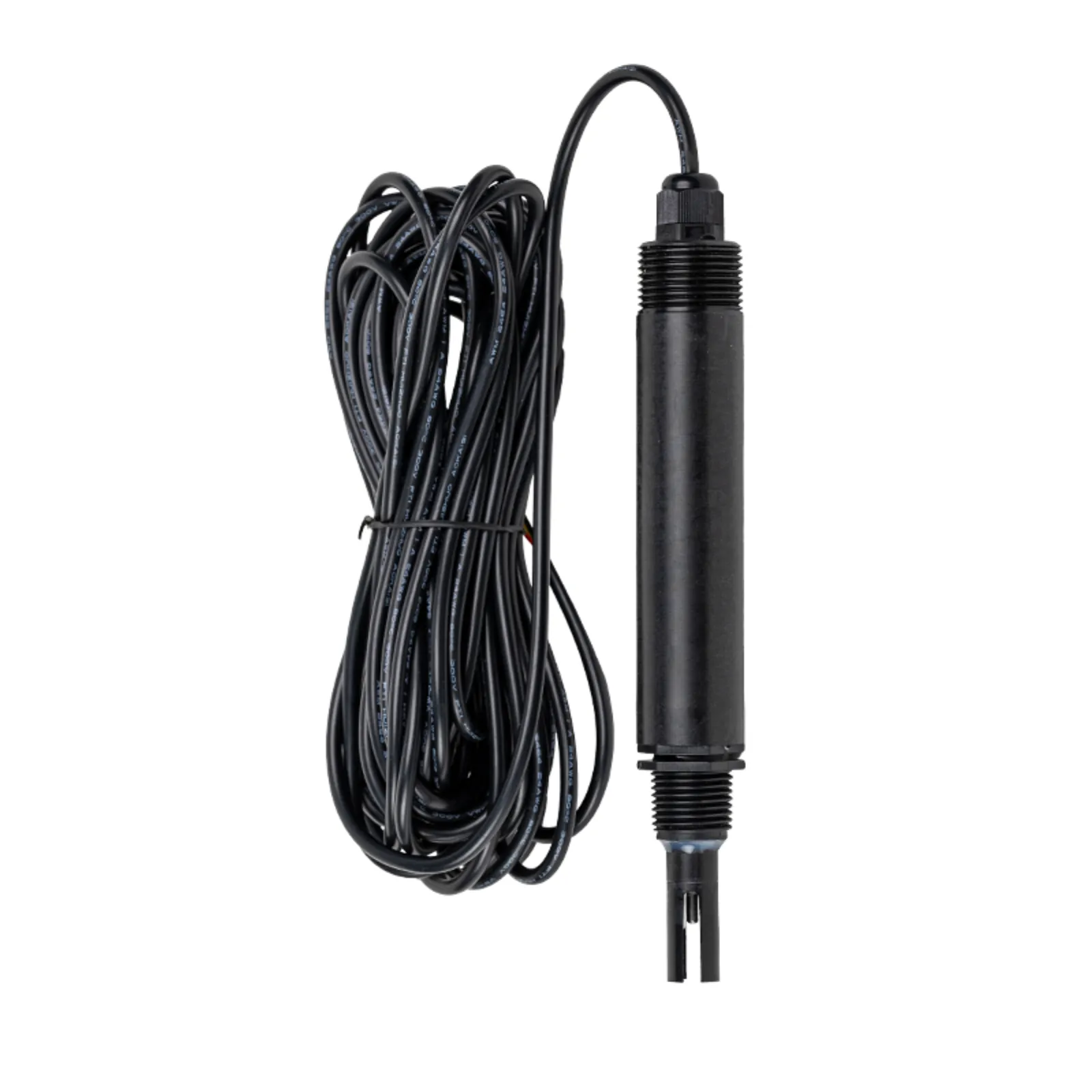
חיבור ה-EC-100
החיישן הוא התקן RS485, ולכן צריך משדר-מקלט בינו לבין הלוח שלכם. במחשב או ב-Raspberry Pi זה מתאם USB ל-RS485. במיקרו-בקר זה מודול מסוג MAX485 על יציאה טורית חומרתית. הזינו את החיישן מספק שנמצא בטווח המתח שבטבלה, וחברו את האדמה שלו לאדמה של המשדר-מקלט.
| Wire Color | Function | Description |
|---|---|---|
| Red | V+ | Power Supply (12-24V DC) |
| Black | GND | Power Ground |
| Yellow | RS485-A | Data+ |
| Green | RS485-B | Data- |
דוגמת Python (Raspberry Pi, Linux, macOS, Windows)
הסקריפט צריך רק את pyserial. הוא בונה בעצמו את בקשת ה-Modbus, בודק את ה-CRC של התשובה ומדפיס קריאה אחת כל חמש שניות. ב-Windows העבירו את יציאת ה-COM כארגומנט.
#!/usr/bin/env python3
"""Read the Agrinovo EC-100 over RS485 Modbus RTU.

Works on a Raspberry Pi or any computer with a USB to RS485 adapter.
Install the serial library once:  pip install pyserial
Run:  python3 ec_100.py /dev/ttyUSB0
"""
import struct
import sys
import time

import serial

PORT = sys.argv[1] if len(sys.argv) > 1 else "/dev/ttyUSB0"
ADDRESS = 0x01  # the sensor's Modbus address


def crc16(frame: bytes) -> bytes:
    crc = 0xFFFF
    for byte in frame:
        crc ^= byte
        for _ in range(8):
            crc = (crc >> 1) ^ 0xA001 if crc & 1 else crc >> 1
    return struct.pack("<H", crc)


def read_registers(port, address, function, start, count):
    request = struct.pack(">BBHH", address, function, start, count)
    port.reset_input_buffer()
    port.write(request + crc16(request))
    reply = port.read(5 + 2 * count)
    if len(reply) >= 5 and reply[1] == function | 0x80:
        raise IOError(f"sensor returned Modbus error {reply[2]}")
    if len(reply) != 5 + 2 * count or crc16(reply[:-2]) != reply[-2:]:
        raise IOError("no valid reply from the sensor")
    return reply[3:-2]


def read_probe(port):
    data = read_registers(port, ADDRESS, 0x03, 0x0000, 2)
    return {
        "conductivity": struct.unpack(">H", data[0:2])[0],  # µS/cm
        "temperature":  struct.unpack(">H", data[2:4])[0] * 0.1,  # °C
    }


if __name__ == "__main__":
    with serial.Serial(PORT, 9600, bytesize=8, parity="N", stopbits=1, timeout=1) as port:
        while True:
            print(read_probe(port))
            time.sleep(5)
דוגמת Arduino (Uno, Mega, ESP32, ESP8266, MKR, Pico)
הסקיצה משתמשת בספריית Agrinovo: ב-Arduino IDE פתחו את Sketch > Include Library > Manage Libraries והתקינו את "Agrinovo". הספרייה בוחרת את היציאה הטורית לפי הלוח, והפינים רשומים בראש הקובץ AgrinovoDefaultPort.h. DE ו-RE של המשדר-מקלט מתחברים לפין יציאה אחד.
// Agrinovo EC-100 conductivity probe
// Prints conductivity and temperature every 5 seconds.
//
// Sensor cable
//   Red     supply +, 12-24 V DC
//   Black   supply ground, joined to the board's ground
//   Yellow  RS485 A
//   Green   RS485 B
//
// The board talks to the sensor through an RS485 transceiver (MAX485 or
// similar). AgrinovoDefaultPort.h lists the serial pins used on each board.
//
// https://agrinovo.io/products/sensors/aqua/ec/ec-100-probe/

#include <Agrinovo.h>
#include <AgrinovoDefaultPort.h>

const int DE_PIN = 4;  // transceiver DE and RE, tied together

AgrinovoBus bus(AGRINOVO_PORT, DE_PIN);
AgrinovoEC100 probe(bus);  // Modbus address 1

void setup() {
  Serial.begin(115200);
  agrinovoPortBegin(9600);
  bus.begin();
}

void loop() {
  if (probe.read()) {
    Serial.print("Conductivity: ");
    Serial.print(probe.conductivity(), 0);
    Serial.println(" µS/cm");
    Serial.print("Temperature: ");
    Serial.print(probe.temperature(), 1);
    Serial.println(" °C");
  } else {
    Serial.println(probe.errorText());
  }
  delay(5000);
}
מה הדוגמאות קוראות
שתי הדוגמאות שולחות בקשה אחת, פונקציה 0x03, 2 רגיסטרים החל מ-0x0000, ומפענחות את הערכים האלה:
| ערך | יחידה | רגיסטר | קידוד |
|---|---|---|---|
| Conductivity | µS/cm | 0x0000 | מספר שלם של 16 סיביות ללא סימן, עם מקדם קנה מידה |
| Temperature | °C | 0x0001 | מספר שלם של 16 סיביות ללא סימן, עם מקדם קנה מידה |
כלי Modbus אחרים
אותה בקשה עובדת מכל מאסטר Modbus RTU: pymodbus, minimalmodbus, Node-RED, LabVIEW, בקר מתוכנת (PLC) או דאטה לוגר של צד שלישי עם יציאת Modbus. השתמשו בהגדרות התקשורת הטורית, בקוד הפונקציה ובכתובות הרגיסטרים שלמעלה.
איסוף נתונים בלי לכתוב קוד
בקר Omni Genesis קורא את ה-EC-100 ושולח את הקריאות לענן Agrinovo ברשת הסלולרית, ומשם אפשר לייצא אותן או לקרוא אותן דרך ה-API של הענן.
מתוך דף הנתונים
Specifications
| Parameter | Specification |
|---|---|
| Accuracy | ±1.0% FS |
| Temp Compensation | 0 to 60°C (automatic) |
| Power Consumption | ≤0.5W |
| Supply Voltage | 12-24 VDC |
| Operating Humidity | ≤85% RH |
Electrode Constants and Ranges
| K Value | EC Range | TDS Range | Resolution |
|---|---|---|---|
| 0.1 cm⁻¹ | 0.2 to 200 µS/cm | 0.1 to 100 ppm | 0.01 |
| 1.0 cm⁻¹ | 2 to 10,000 µS/cm | 1 to 5,000 ppm | 1 |
| 10.0 cm⁻¹ | 20 to 100,000 µS/cm | 10 to 50,000 ppm | 1 |
Communication Settings
| Parameter | Value |
|---|---|
| Protocol | Modbus-RTU |
| Baud Rate | 9600 bps |
| Data Bits | 8 |
| Parity | None |
| Stop Bits | 1 |
| Default Address | 0x01 |
Register Map
Measurement Registers (Function 0x03)
| Address | Description | Scaling |
|---|---|---|
| 0x0000 | Electrical Conductivity | Direct (µS/cm) |
| 0x0001 | Temperature | Value ÷ 10 (°C) |
Configuration Registers (Function 0x06)
| Address | Description | Range/Notes |
|---|---|---|
| 0x0004 | Slope (Gain) | Value × 1000 (default: 1000) |
| 0x000B | Intercept (Offset) | µS/cm (default: 0) |
| 0x0050 | Slave Address | 0x01 to 0xFE |
Reading Data
Read 2 registers from 0x0000:
Request:  01 03 00 00 00 02 C4 0B
Response: 01 03 04 02 AE 01 64 9A 11
Decoding:
| Register | Hex | Decimal | Scaling | Result |
|---|---|---|---|---|
| EC | 0x02AE | 686 | Direct | 686 µS/cm |
| Temperature | 0x0164 | 356 | ÷10 | 35.6°C |
TDS Calculation: TDS = 686 ÷ 2 = 343 ppm
Address Configuration
Change Address (0x01 → 0x02)
Request:  01 06 00 50 00 02 08 1A
Response: 01 06 00 50 00 02 08 1A
Broadcast Discovery
Use address 0xFE with only one device connected.
Calibration
Set Slope (1.200)
Slope = 1200 (1.200 × 1000) = 0x04B0
01 06 00 04 04 B0 CB 7F
Set Intercept (10 µS/cm)
01 06 00 0B 00 0A 78 0F
Revision History
| Rev | Date | Changes |
|---|---|---|
| 1.0 | June 2026 | Initial release |
| 1.1 | August 2026 | Layout revision |
| 1.2 | October 2026 | New layout; corrected Modbus example CRC values |
| 1.3 | November 2026 | Corrected product photo |
Contact
Agrinovo, https://agrinovo.io/products, [email protected], +972 54 688 8148 (direct / WhatsApp). Specifications subject to change without notice.
שאלות על החיווט או על הפרוטוקול?
ספרו לנו באיזה לוח או דאטה לוגר אתם משתמשים ומה צריך למדוד.